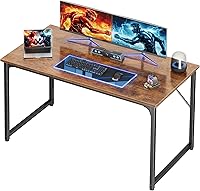
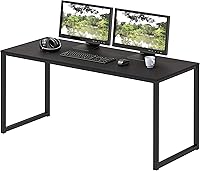
Computer Workstation Desks: A Plain Buying Guide
Choose a computer workstation desk that fits your equipment, room and working position. Measure the desktop area, chair clearance and walking path, then match the desk’s shape, height and storage to your daily setup.
On this page (11 sections)
- What makes a desk a computer workstation desk?
- How do you choose the right computer workstation desk size?
- How high should a computer workstation desk be?
- Should you choose a straight or corner desk?
- What storage belongs in a computer workstation?
- Which desk material and finish should you pick?
- How much room do multiple monitors need?
- When does a rolling workstation make sense?
- How should you plan cables and the desk setup?
- What common mistakes make a workstation harder to use?
- Which computer workstation desk should you choose?
A computer workstation desk should fit your equipment, room and work habits. Measure your screens, chair, room and walking path first, then choose a desk shape, width, depth and storage that work together.
A desk that looks roomy in a photo may leave little space for your chair or monitor. Start with measurements and the items you use every day.
This guide covers the choices that matter most, from desk height and depth to drawers, finishes and cable placement. Use the links throughout to compare specific options.
What makes a desk a computer workstation desk?
A computer workstation desk is a surface set up for a computer and its everyday accessories. A useful workstation holds your equipment and gives you enough room to work comfortably.
A basic setup may need room for a monitor, keyboard and mouse. A larger one may also need space for speakers, a laptop, paperwork, a lamp or more than one screen.
The word “workstation” doesn’t tell you how large a desk is or what features it has. Check the actual width, depth, height and layout before deciding whether it fits your needs.
Start by listing what will stay on the desktop and what you can store elsewhere. Separate daily essentials from occasional-use items so the work surface doesn’t have to hold everything you own.
Think about how you use the computer, too. A laptop user may need a clear place to write, while someone using a desktop tower may need room for the monitor, keyboard, mouse and a safe route for cables.
How do you choose the right computer workstation desk size?
Choose a desk size by comparing your equipment footprint with the usable desktop and the open space around it. Measure the desk area, chair clearance and path through the room before choosing a model.
Write down the width and depth of the equipment you plan to keep on the top. Add room for your hands, a mouse and the items you need during work.
| What to measure | Why it matters |
|---|---|
| Desktop width | Must fit screens and the items you keep beside them |
| Desktop depth | Affects where the screen, keyboard and mouse can sit |
| Desk height | Needs to work with your chair and preferred position |
| Chair area | Must leave room to sit, turn and get up |
| Room path | Keeps doors, drawers and walkways clear |
Desk dimensions can be easy to misread. Compare width, depth and height in the same order each time, and check whether the figures describe the whole desk or only its top.
A 47 in desk and a 63 in desk suit different spaces and equipment loads. The computer desk widths guide compares common widths, while the computer desk depth guide explains how to judge front-to-back space.
What should you measure before buying a computer workstation desk?
Measure the desk location and everything that needs to fit there. Include the chair, nearby drawers, doors and the route you use to reach the workstation.
Mark the desk footprint on the floor with painter’s tape. Sit in your chair and check whether you can move it without hitting a wall or blocking a walkway.
If the desk has drawers or a cabinet, account for the space they need when open. A desk that fits when closed can still make the room hard to use.
Also measure the route into the room. A desk that fits its final position may be difficult to carry through a narrow doorway or around a tight corner, so compare the packed pieces and assembly plan with the available path.
How much width do screens and accessories need?
Measure the whole arrangement rather than adding up screen widths alone. Monitor stands, speakers and a lamp can take up space at the sides, while a keyboard and mouse need a usable area in front.
For two screens, decide whether they will sit side by side or at an angle. Then check the width of the stands and how much space remains for other essentials.
If you use three monitors, a wide top is only one part of the fit. Check the depth and placement of each screen, along with the location of the computer and whether the chair can sit centered.
The three-monitor desk guide covers this layout.
How much depth does a computer desk need?
Choose enough depth for the screen, keyboard and mouse to sit in positions that suit your working habits. A shallow desk can save floor space, but it gives you less room to shift equipment or spread out papers.
Measure from the wall to the front edge of the desktop, and include anything that will sit behind the screen. A monitor stand or shelf uses some of that space even if it raises the screen.
A monitor arm can move a screen off the desktop, but first check whether the desk has a suitable edge for its clamp. If the desk sits against a wall, leave room for plugs and cables rather than pressing them into a tight bend.
How high should a computer workstation desk be?
A computer desk should let you sit with your shoulders relaxed and your arms in a comfortable position. The right height depends on your chair, body and keyboard position.
Check the desktop height against your seated setup, not in isolation. Adjust your chair first, then see where your hands rest when using the keyboard.
Some desks have fixed heights; others allow adjustment. The Techni Mobili Rolling Laptop Cart adjusts from 28.25 in to 43 in, while its 21.5 in wide, 15.75 in deep top may limit what fits.
Read how high a computer desk should be for a step-by-step way to check your setup. If more than one person will use the desk, account for each person’s chair and preferred position.
A keyboard tray can change where your hands sit relative to the desktop. Check whether its position and clearance suit your chair before relying on it to improve the setup.
Don’t choose an adjustable desk based on height range alone. The usable surface still needs to fit your equipment, and the desk must have enough room around it to move into the positions you plan to use.
Should you choose a straight or corner desk?
Choose a straight desk when it fits the wall or room layout and gives you enough surface. A corner desk can use a corner for a wider working area, but its shape may limit where you can place it.
A straight desktop is usually simpler to measure and position. It can suit a small office, bedroom or shared room where keeping the footprint clear matters.
A corner design may help when you need separate areas for a computer and paperwork. Measure both sides of the corner and check the depth, since a corner desk can extend farther into the room than expected.
Draw the desk shape on the floor before buying. This makes it easier to see whether a corner desk blocks a door, a closet or the path between the chair and the rest of the room.
For a shared setup or several screens, also consider how much width each person or device needs. The two-person computer desk guide covers planning for two users, and the straight desk versus corner desk guide compares the two layouts.
What storage belongs in a computer workstation?
Choose storage based on what you need to put away and how often you reach for it. Drawers suit small supplies and papers, while shelves keep larger items visible and easy to grab.
A drawer cabinet under the top can reduce clutter, but it may take away knee space. Open shelves provide storage without enclosing the space, though stored items remain in view.
A keyboard tray can free up desktop space when it suits your typing position. Check its placement and clearance before choosing a desk with one.
The Yaheetech Desk with Keyboard Tray and Shelves measures 42 in wide, 20 in deep and 37 in high. It has a keyboard tray, a drawer, an open cabinet with an adjustable shelf and a full-width top shelf.
This layout suits someone who wants a compact work area with dedicated places for supplies and a keyboard. Skip it if you need a wide desktop for several large screens or prefer open space beneath the desk.
See which storage your computer desk needs for help comparing drawers, cabinets and shelves. If you want a built-in filing space, read whether a desk with a file cabinet is right for you.
Are drawers, shelves or a file cabinet more useful?
Drawers work well for items you want out of sight, such as pens, chargers and papers. Before choosing them, check where they sit and whether your knees and chair can fit comfortably underneath.
Shelves suit objects you reach for often or equipment that won’t fit in a shallow drawer. They can help organize a compact workstation, but visible storage can make a small room feel busy if it becomes a drop zone.
A file cabinet helps when paper records are part of your routine. A built-in cabinet can keep files close, though it may limit where you sit or which side of the desk you can use.
Choose storage for the work you actually do. A person with mostly digital files may value clear legroom more than a file drawer, while someone handling paper forms may appreciate a place to sort them.
Which desk material and finish should you pick?
Choose a desk material and finish based on your room, cleaning habits and budget. Compare the top and frame materials separately, since they affect the desk’s appearance and construction.
Particleboard and engineered wood appear in many home office desks. Their surfaces and edges vary, so check how the top is finished and how much weight the maker says it can hold.
Metal frames are common on desks with panel tops. Look at the frame layout and any reinforcement described, especially if you plan to use several screens or other heavy equipment.
The Lufeiya 47-Inch Computer Desk with File Drawers has a particleboard top and black metal frame. It measures 46.6 in wide, 19.7 in deep and 29.5 in high, with a reversible cabinet layout and 3 fabric drawers.
This desk suits a smaller room where papers and office supplies need a place close at hand. Skip it if your setup needs a deeper desktop or you don’t want a cabinet occupying space beside your legs.
The particleboard desk guide covers common trade-offs. For more on matching a desk to your room, compare white computer desks or wood computer desks.
What should you know about panel tops and metal frames?
A panel top and a metal frame are separate parts, so consider both when you compare desks. The surface affects how you care for the desktop, while the frame design and braces help determine how the base is arranged.
Use a desk for its intended purpose and stay within its stated load limits. A desktop isn’t a seat or step, and uneven weight can make a desk harder to keep stable.
If the desk has adjustable feet, use them to level it on a slightly uneven floor. Don’t force the frame into position by tightening one side far beyond the other.
For more on frame choices, read metal versus wood desk frames and solid wood versus laminate desks.
How much room do multiple monitors need?
Multiple monitors need enough width for the screens and enough depth to place them comfortably. Measure the full screen arrangement, including stands, before buying.
Two monitors side by side can take more width than one large display. If you use monitor arms, check whether the desk can support the clamp and whether the back edge leaves room for cables.
Keep the keyboard and mouse in front of the screens, with enough space to move them. Avoid choosing a desktop based on screen width alone.
The Huuger 63-Inch Computer Desk measures 63 in wide, 23.6 in deep and 29.5 in high. Its particleboard top, metal frame and reinforcement struts beneath the top provide a broad work surface.
This desk suits users who need a wide, fixed work surface for screens and daily essentials. Skip it if your room can’t spare the footprint or if you need a built-in file cabinet or keyboard tray.
For a multi-screen setup, read what computer desk fits three monitors. If your work area is shared, the two-person computer desk guide covers planning for two users.
When does a rolling workstation make sense?
A rolling workstation makes sense when you need a compact setup that can move between locations. Check its surface dimensions, height range and wheel locks against how you plan to use it.
A cart can fit a laptop and a few essentials without taking up the space of a full desk. It may not suit a setup with several monitors or a large amount of paperwork.
The Techni Mobili Rolling Laptop Cart has a 21.5 in wide, 15.75 in deep top and adjusts from 28.25 to 43 in high. It includes an open storage compartment with an accessory shelf and double-wheel non-marking casters, 2 of which have locking mechanisms.
Choose this cart for a laptop setup that needs to move between spots or adjust to different working positions. Skip it if you need a broad, permanent desk surface for multiple screens, a full-size keyboard and papers.
Read whether computer desks with wheels stay put if you’re weighing mobility against a fixed position. For a stationary work area, check that your chair and desk leave enough room to move freely.
How should you plan cables and the desk setup?
Plan cable routes before placing the desk against a wall. Keep power and data cables reachable, tidy and clear of chair wheels and walking paths.
Group cables by device and leave enough slack to adjust your screen or move equipment. Avoid pulling a cable tight across a sharp edge or where it can snag.
A power strip or built-in outlet can reduce the distance to a socket, but check its placement and cord path. Keep the area easy to clean and avoid overloading an outlet.
Our computer desk cable management guide covers ways to route cords neatly. The computer desk setup guide helps place your screens, keyboard and other essentials.
What order should you use when setting up a desk?
Set up the large pieces first, then place smaller items around the work you do. Position the desk, adjust the chair and place the screen before arranging the keyboard, mouse, lamp and storage.
Keep the items you use most within easy reach. Put occasional-use supplies on a shelf or in a drawer so they don’t crowd the area where your hands move.
Route cables after you’ve settled the equipment positions. Leave enough slack to shift a screen or pull the desk forward for cleaning, and keep loose cords away from the chair base.
Make a small change at a time. If the keyboard feels too far away or the screen takes up too much depth, reposition one item and check the fit again before adding accessories.
What common mistakes make a workstation harder to use?
The most common mistake is choosing a desk by its headline width without checking depth, chair clearance and storage placement. A large desktop can still be awkward if it blocks a walkway or leaves no room for knees.
Another mistake is treating every inch of the desktop as usable workspace. A monitor stand, lamp, speakers and cable plugs all claim space, so reserve room for the items you use daily.
It’s also easy to choose storage without checking the way you sit. Drawers and cabinets can obstruct knees or force the chair off center, so check the space underneath and beside the desk.
Avoid buying a desk before measuring the route into the room. Doorways, stairs and tight turns can matter as much as the final location.
Finally, don’t assume a rolling cart will stay in one spot without using its locks. If you move it often, check that the locked position is convenient and that cables won’t catch as it rolls.
Which computer workstation desk should you choose?
Choose a desk by matching its surface, storage and movement to your everyday setup. A compact desk can work for a laptop and small supplies, while a wider top gives more room for monitors and paperwork.
Pick the Lufeiya if you need a compact workstation with fabric drawers and reversible file storage. Choose the Huuger if a broad desktop is the main need and you have room for a fixed desk.
The Yaheetech suits a compact setup that benefits from a keyboard tray, drawer and shelves. The Techni Mobili cart fits a laptop user who needs an adjustable height and a workstation that can move.
Measure your room, chair and equipment before deciding. Then use the computer desk height guide and computer desk depth guide to check the final fit.
Frequently asked questions
What is a computer workstation desk?
A computer workstation desk is a work surface arranged for a computer and the items you use with it. The right setup depends on your equipment, available room, storage needs and working position.
Measure those needs first, then compare desk dimensions and features.
How wide should a computer workstation desk be?
Choose a width that fits your screens, keyboard, mouse and daily work items while leaving room to move. Measure the full equipment arrangement, including monitor stands, and compare it with the desktop's usable width.
Our computer desk widths guide compares common widths.
How deep should a computer workstation desk be?
Desk depth should leave room for your screen, keyboard and mouse without pushing the setup too close to the front edge. Measure your equipment footprint and account for monitor stands, arms or shelves that affect usable space.
The computer desk depth guide explains what to measure.
Do computer workstation desks need drawers?
Drawers help if you need to put away papers, cables or small supplies, but they can take up legroom. Choose open shelves or a separate cabinet if you want storage without placing drawers beneath the desktop.
Keep frequently used items within easy reach.
Is a rolling computer workstation desk a good choice?
A rolling workstation can help when you need to move a compact setup between spots. Check the wheel locks, desk footprint and whether the surface fits your equipment.
For a main workstation that stays in one place, a fixed desk may suit your routine better.