Computer Desk Widths: 48, 55 and 60 Inches Compared
A 60 inch computer desk gives you a wide work surface for a monitor, laptop and separate work zones. Choose 48 inches for a compact setup, 55 inches for a little more room, or 63 inches if your equipment needs a wider top.
On this page (9 sections)
- Which computer desk 60 inch width should you choose?
- How do 48, 55 and 60 inch computer desks compare?
- How do you measure the desk width you need?
- Does desk depth matter as much as width?
- How can you set up a computer desk after it arrives?
- How should you care for a computer desk?
- What mistakes should you avoid when choosing a desk width?
- Which desk width is the best fit for your setup?
- Frequently asked questions about computer desk widths
A 60 inch computer desk gives you a wide work surface for a monitor, laptop and separate work zones. A 48 inch desk suits a compact setup, 55 inches gives you a middle ground, and 63 inches provides the widest top among these picks.
Start by measuring the equipment you use at the same time: monitor stands, laptop base, keyboard, speakers and any space you need for notes. Then check the desk depth, chair movement, doors and walking path.
The right width fits your routine and your room without leaving you short on reach or clear floor space.
Which computer desk 60 inch width should you choose?
Choose 48 inches for a focused setup, 55 inches for more elbow room, or 60 inches for distinct work zones. A 63 inch top may suit a wider setup, but it needs additional wall space.
| Width | A good starting point for | Check before choosing |
|---|---|---|
| 48 in | One monitor or laptop with a focused work area | Monitor base and writing space |
| 55 in | A broader setup with room for daily essentials | Combined width of screens and accessories |
| 60 in | Multiple work zones or a monitor plus laptop | Wall space, depth and walking clearance |
| 63 in | Several screens or equipment that needs more room | The larger footprint and route into the room |
These widths are starting points, not fixed limits. A narrow monitor stand can leave more usable space, while speakers, a dock or a broad screen base can use it quickly.
Measure each item at its widest point, including its stand or base. Add the widths of the things that will sit side by side, then reserve an open area for your keyboard and hands.
For the other dimension, see our guide to computer desk depth and width. It explains how front-to-back space affects screen placement and working room.
How do 48, 55 and 60 inch computer desks compare?
The main difference is how much room each desktop gives you for side-by-side items. Choose a desk that fits your equipment and leaves the areas you use most within easy reach.
Is a 48 inch computer desk wide enough?
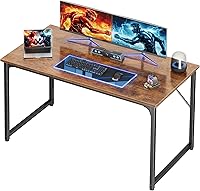
A 48 inch desk can work for one monitor, a laptop setup or a compact room. The SHW Mission 48-Inch Black Desk measures 48 inches wide by 23.8 inches deep.
Its engineered wood top and powder-coated steel frame suit a straightforward workstation. The keyboard tray can keep a keyboard below the main surface when you need a clear top for writing.
Choose it if you want a focused setup and don't need much space for equipment beyond your main screen and daily essentials. Skip it if you routinely use two large monitor bases, keep a printer beside your screen or need a broad writing area.
Before buying, measure the monitor base and the items you want beside it. If the keyboard tray matters to your layout, check that its position works with your chair and how you prefer to use the keyboard.
For help placing a screen, keyboard and other essentials, see our computer desk setup guide.
What fits on a 55 inch computer desk?
A 55 inch desk gives you 7 inches more width than a 48 inch desk. That extra room can make it easier to separate a monitor from a laptop or leave a clear spot for notes.
The SHW Mission 55-Inch Black Desk has an engineered wood top and powder-coated steel frame. Its open layout leaves the space below clear for a chair or mobile storage, and it has a stated weight capacity of 110.2 lb.
Choose it if a compact desk feels restrictive but you don't need the extra width or built-in storage of a 60 inch model. Skip it if you need drawers on the desk or your planned equipment already fills the 55 inch span.
Measure monitor stands, laptop bases and speakers rather than guessing from screen size. If you need storage, our guide to computer desk storage can help you decide whether drawers or shelves belong on the desk.
When does a 60 inch computer desk make sense?
A 60 inch desk makes sense when you need room to spread out and your room can spare the width. The Furologee 60-Inch Computer Desk with 4 Drawers measures 60 inches wide and 18.8 inches deep.
It includes 3 fabric drawers, a file cabinet, 3 open shelves, a monitor stand, 3 power outlets and 2 USB charging ports. The desk is reversible, so the storage side can be installed on the left or right to suit your room and workflow.
Choose it if you want your screen raised by the included stand and need places for files and accessories. Skip it if you want a plain, open desktop, need more front-to-back space, or prefer to choose your own monitor stand and power setup.
Its listed dimensions include the stand, and the full height is 35.1 inches. Check how that height works with your preferred screen position and any window, shelf or wall feature above the desk.
Its 18.8 inch depth is shorter than the SHW desks here, so a wide top doesn't guarantee room for a deep monitor base and keyboard.
Mark a 60 inch footprint with tape, then check nearby doors, cabinets and chair movement before settling on this width.
Should you consider a desk wider than 60 inches?
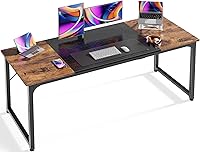
Consider a wider desk if you have several screens or equipment that needs more room and enough floor space for the larger footprint. The Huuger 63-Inch Computer Desk measures 63 inches wide by 23.6 inches deep.
The top is particleboard, and the frame is metal with reinforcement struts beneath the desktop. Adjustable feet can help account for an uneven floor.
Choose it if the additional width helps organize a multi-screen setup or separates work from writing space. Skip it if every inch of wall space matters or if 60 inches already fits everything you use.
A wider desk can make it easier to divide the top into work zones, but it cannot solve a shallow-depth problem. Compare the distance from front to back with your monitor base, keyboard and reach.
For more options at the larger end, see our large computer desk guide.
How do you measure the desk width you need?
Measure the equipment you'll use at the same time, then leave space for how you work. Include stands and bases, not only the screens or devices themselves.
- Measure each item's widest point.
- Arrange the items in the order you'll use them.
- Add the widths of items that need to sit side by side.
- Reserve clear space for your keyboard, hands and notes.
- Compare that layout with the desk's actual top width.
If you use a monitor arm, check how much desktop space its clamp needs and whether the desk edge can accommodate it. An arm can free space beneath a monitor, but it doesn't add width or depth to the desktop.
Think about what changes during the day. A laptop used only for occasional calls may not need a permanent place beside your monitor, but equipment you use every hour is harder to tuck away.
Measure the room, too. Account for the chair, nearby drawers, doors and the path you need to walk past the workstation.
For a bedroom setup, our guide to fitting a computer desk in a bedroom has room-planning tips.
Does desk depth matter as much as width?
Yes. Width controls side-by-side space, while depth controls how far the desktop reaches into the room and how much room you have between the front edge and the screen.
A desk can be wide enough for two screens but too shallow for their bases and a keyboard. Check whether the equipment fits front to back, with the keyboard in a comfortable position and enough open surface for your hands.
Desk features affect usable space as well. A monitor stand occupies part of the desktop, even if it raises the screen.
Drawers and shelves can store items, but the space they take may influence where you place your chair or other equipment.
Don't buy extra width to compensate for insufficient depth. If your screens fit side by side but sit too close or leave no space for a keyboard, look for a deeper top instead.
How can you set up a computer desk after it arrives?
Set up the desk on a clear floor area, check the parts and instructions, and build it where you can move around each side. This makes it easier to reach the frame and align the top during assembly.
Before tightening fasteners fully, follow the assembly steps and make sure the frame sits square. On a hard floor, use suitable pads under the legs to protect the surface and reduce sliding; on an uneven floor, adjust the feet if the desk has them.
After assembly, place the desk in its planned location and check that it sits steadily. Put the monitor where you can view it without leaning forward, then position the keyboard and mouse so they have clear space in front of you.
Keep chargers and cables arranged so they don't cross your work area or pull on connected devices.
The order of setup matters. Leave space for chair movement and cable routing before filling the desktop with accessories.
Our guide to hiding cables on a computer desk covers ways to keep cords organized.
How should you care for a computer desk?
Keep the desktop clear of dust and wipe spills promptly with a soft cloth. Avoid soaking engineered wood or particleboard surfaces, and follow any care instructions that come with the desk.
Use coasters or mats under drinks and accessories that could scratch the surface. Don't drag a monitor, speaker or other heavy item across the top; lift it and place it where you want it.
Check that screws and other fasteners remain secure after assembly and when the desk starts to feel loose. Tighten them as needed according to the instructions, and avoid placing more weight on the desk than its stated capacity.
What mistakes should you avoid when choosing a desk width?
The most common mistake is choosing by width alone. A 60 inch top may offer more room from side to side but still be too shallow for your equipment or too large for the room.
Other common mistakes include:
- Measuring screens instead of stands. Monitor bases and speakers can use more width than their dimensions suggest.
- Ignoring the chair. A desk can fit along the wall and still leave too little room to sit, turn or pull back.
- Forgetting the doorway and route. Measure the delivery path as well as the final position.
- Assuming storage is free. Drawers, shelves and a monitor stand take up space or shape how you can use the desk.
- Leaving no room for daily work. A desktop packed edge to edge gives you little space for notes or a temporary item.
- Choosing a wider top for a depth problem. More width won't make a shallow desktop deeper.
A quick floor plan can catch these issues before assembly. Mark the desk footprint and place the chair in front of it to test the space you have.
Which desk width is the best fit for your setup?
Pick 48 inches for one main screen and a compact footprint, 55 inches for more working room without built-in storage, or 60 inches when you want storage and a monitor stand with a wide top. Choose 63 inches if your setup benefits from the extra width and the footprint fits comfortably.
Measure depth and equipment along with width, then check the full room and delivery route. For more help choosing a workstation, read our computer workstation desk buying guide.
Frequently asked questions about computer desk widths
Is a 48 inch desk wide enough for a computer?
A 48 inch desk can fit a computer setup with one monitor or a laptop and room for a few work items. Check the width of your monitor stand, keyboard and speakers, then reserve a clear area for your hands and notes.
A wide monitor base can take up more room than the screen suggests.
Is a 55 inch desk wide enough for two monitors?
A 55 inch desk may fit two monitors if their combined stand width leaves room for your keyboard and other essentials. Measure the stands at their widest points, then include speakers, a laptop or a writing area if you use them.
Screen size alone doesn't show how much desk width the setup needs.
Is a 60 inch desk too big for a small room?
A 60 inch desk can feel oversized if it blocks a door, drawer, closet or walking path. Measure its width and depth, then include the chair and space to pull it back.
Mark the footprint with tape and check that the room still works when you sit and move around.
How much wider is a 60 inch desk than a 48 inch desk?
A 60 inch desk is 12 inches wider than a 48 inch desk. That can help separate a monitor, laptop and writing area, but it also takes more wall space.
Compare the usable desktop dimensions and shape before assuming the full width is clear for equipment.
Should I choose desk width or depth first?
Check both dimensions against your equipment and room. Width affects how many items can sit side by side, while depth affects how far the desk reaches into the room and how much space is available for the monitor and keyboard.
Measure the largest items and your chair area before choosing.
Frequently asked questions
Is a 48 inch desk wide enough for a computer?
A 48 inch desk can fit a computer setup with one monitor or a laptop and room for a few work items. Check the width of your monitor stand, keyboard and speakers, then reserve a clear area for your hands and notes.
A wide monitor base can take up more room than the screen suggests.
Is a 55 inch desk wide enough for two monitors?
A 55 inch desk may fit two monitors if their combined stand width leaves room for your keyboard and other essentials. Measure the stands at their widest points, then include speakers, a laptop or a writing area if you use them.
Screen size alone doesn't show how much desk width the setup needs.
Is a 60 inch desk too big for a small room?
A 60 inch desk can feel oversized if it blocks a door, drawer, closet or walking path. Measure its width and depth, then include the chair and space to pull it back.
Mark the footprint with tape and check that the room still works when you sit and move around.
How much wider is a 60 inch desk than a 48 inch desk?
A 60 inch desk is 12 inches wider than a 48 inch desk. That can help separate a monitor, laptop and writing area, but it also takes more wall space.
Compare the usable desktop dimensions and shape before assuming the full width is clear for equipment.
Should I choose desk width or depth first?
Check both dimensions against your equipment and room. Width affects how many items can sit side by side, while depth affects how far the desk reaches into the room and how much space is available for the monitor and keyboard.
Measure the largest items and your chair area before choosing.